



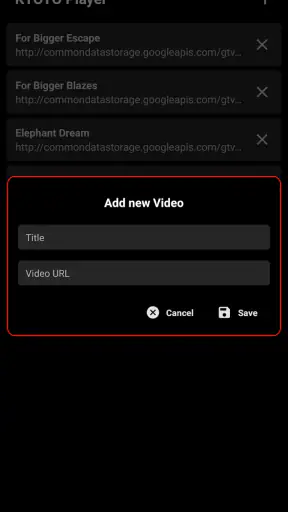

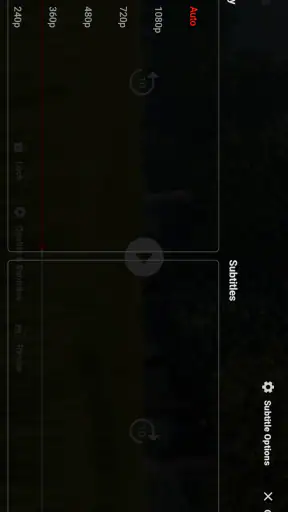

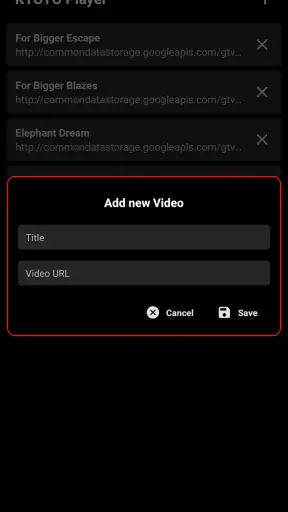

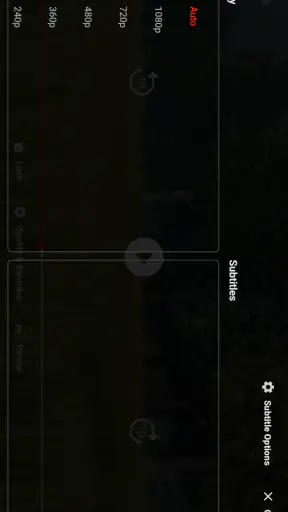
I approached KYOTO Player as a simple way to watch online video rather than as a full media-management suite, and that distinction matters. It is a free Android app from KYOTO in the Video Players & Editors category, with a straightforward purpose: open online videos and keep the viewing experience focused on playback. After using it, my main impression is that it can be useful when I want less clutter than a large video platform, but it is not the kind of player I would choose for every viewing habit.
The app has a 3.6 average from around 5.4 thousand ratings and has passed one million installs. Those figures suggest that it has found a real audience, although they also tell me to keep expectations sensible. This is a practical utility, not an obvious replacement for every established video service. Its appeal comes from its narrow focus, while its limitations come from that same simplicity.
What the player feels like in everyday use
The first thing I noticed is how easy it is to understand the app’s role. KYOTO Player is built around online video playback, so I did not approach it expecting a social feed, a creator studio, or a large personal library. That makes the experience less distracting when I already know what I want to watch. Instead of browsing endlessly, I can treat it as a viewing tool: open the relevant online content, watch it, and move on.
That focused approach is particularly handy on an Android phone used for several different tasks. If I am checking a tutorial while repairing something, following a short lesson during a break, or watching a video someone has shared with me, a dedicated player can feel more direct than opening a full platform with recommendations and unrelated content. The benefit is not spectacular technology; it is the reduction of unnecessary steps.
I also like the fact that the app is free and carries an Everyone age rating. That makes it easy to consider for a household device or a secondary phone without adding a purchase decision to the process. It runs on Android 7.0 and later, so people using older compatible phones are not automatically excluded. The current version is 1.2.6, which places it in a fairly accessible position for users who do not own the newest hardware.
A realistic use case: the shared household phone
Imagine a family keeping an older Android phone in the kitchen or living room. One person wants to play an online cooking video while preparing dinner, another uses the same phone for a repair guide, and a child watches an age-appropriate clip with an adult nearby. In that situation, a lightweight player can be more convenient than signing into a personal account or handing over a main social-video app.
I would still supervise what is played, because an Everyone rating describes the app’s general suitability rather than guaranteeing that every online video is suitable for every viewer. That is an important distinction. The player can make access simpler, but it does not replace sensible control over the content being opened.
Another useful workflow is temporary viewing. When I only need a video for a specific task, I prefer not to reorganize my home screen, subscribe to a channel, or fill a personal recommendation history with something unrelated to my usual interests. KYOTO Player makes more sense in that moment as a neutral doorway to online video. It is best when the video is the destination, not when discovery is the main activity.
Where its simplicity works in its favor
Many video apps try to do several jobs at once. They combine playback with comments, subscriptions, short-form feeds, creator tools, advertising systems, playlists, and personalized recommendations. Those features can be valuable, but they also make the viewing process feel busy. KYOTO Player’s strongest quality is that it does not need to compete with all of that. I can think of it as a small utility that stays closer to the basic act of watching.
That simplicity also makes the app easier to explain to another person. If I were helping someone who only wanted to play an online video and did not want to learn a complicated media interface, I could recommend trying it without first describing a whole ecosystem. The app’s purpose is clear enough for occasional users, especially those who are more interested in access than personalization.
There is a useful trade-off here. A focused player may feel calmer than a major platform, but it cannot offer the same depth of organization. I would not select it as my main tool for managing a large collection of saved videos or tracking creators. For those tasks, a full platform with mature accounts, history, playlists, and discovery tools is generally more convenient.
Small habits that make the experience smoother
My first practical tip is to decide whether I need discovery or playback before opening the app. If I am looking for new channels, comparing several creators, or following a long-running series, I start with the platform where that information already lives. If I already have a particular online video in mind, KYOTO Player is the more logical experiment. This simple distinction prevents the app from feeling disappointing simply because I asked it to perform a different job.
My second tip is to use it for task-based viewing rather than leaving it running as a general entertainment hub. A repair instruction, language exercise, recipe, product demonstration, or short lecture is a better match than an evening of browsing. The narrower the goal, the more noticeable the app’s uncluttered character becomes.
A third useful habit is to test the app with the kinds of online videos I actually watch before making it my default. Online video is not one uniform format. Some people watch short clips, some rely on long tutorials, and others move between different sources. A player that feels convenient for one type of material may feel limited for another. I would spend a little time checking my normal routine rather than judging it from a single successful playback.
The main limitation: a focused player is not a complete video ecosystem
The most meaningful weakness is the same feature that gives KYOTO Player its identity: it is focused on playing online videos, not on replacing a major video platform. I missed the broader context that comes with established services. When I want recommendations, creator pages, a familiar subscription system, or a carefully organized watch history, I would rather use the platform that already provides those tools.
This does not make the app poor; it defines the audience it can serve. Someone expecting a full entertainment destination may find the experience too bare. A person who wants extensive customization, advanced library management, or a strong social layer should compare it with more developed alternatives before switching. The app is easier to understand when judged as a compact player instead of a universal answer to online video.
There is also a practical dependency in the concept itself: online playback depends on the source and the connection being available. I would not choose this as my only solution for travel, unreliable networks, or situations where offline access is essential. A video app with established download support, where legitimately available, is a better fit for those circumstances. KYOTO Player is more convincing when I am connected and ready to watch immediately.
That limitation affects how I would use it on an older phone as well. Compatibility with Android 7.0 and later is helpful, but an older device may still have its own constraints when handling modern online video. I would keep expectations realistic and avoid assuming that every source will behave identically. The app can provide a convenient playback route, but it cannot remove the technical differences between video sources, devices, and networks.
How it compares with the alternatives I normally use
Compared with a large video platform, KYOTO Player feels less like a destination and more like a tool. The major platform wins for discovery, creator relationships, recommendations, and long-term organization. KYOTO Player wins when I want to avoid those layers and concentrate on a specific online video. Neither approach is universally better; the right choice depends on whether I am searching for something new or simply trying to watch something I already selected.
Compared with a local media player, this app serves a different purpose. A local player is usually the natural option for files already stored on the phone, especially when I care about managing a personal collection or watching without a connection. KYOTO Player is aimed at online viewing instead. I would keep both types of app available if my habits included downloaded recordings as well as web-based video, rather than expecting one to cover every format equally well.
Compared with a browser, the appeal is convenience and separation. A browser is flexible and can open many kinds of pages, but it also brings tabs, notifications, unrelated browsing, and the possibility of losing the original video among other tasks. A dedicated player can make the viewing intention clearer. On the other hand, the browser may be the better choice when the video requires surrounding webpage information or interactive controls that are not part of a simple playback workflow.
Compared with a premium video service, the free price is an obvious advantage for casual users. I can try it without committing money, which lowers the risk of testing it alongside my current setup. But a premium service may offer a more polished ecosystem, stronger account features, or a more consistent content experience. I would not move away from a service I rely on merely because this app is free; I would use KYOTO Player when its directness solves a specific problem.
Who will get the most from it
I think the best audience is made up of people who want an uncomplicated way to handle online video on Android. That includes occasional viewers, owners of older compatible phones, people setting up a shared device, and users who dislike the distractions built into larger platforms. It can also suit someone who wants a second viewing option rather than replacing every app already installed.
The app is especially reasonable for readers who value a clear purpose over a long feature list. If you normally receive a video link, watch a tutorial, or open a particular clip and then close the app, KYOTO Player’s focused design may be enough. Its free availability makes that trial easy, and the Everyone rating removes an unnecessary barrier for general household use.
I would recommend skipping it as a primary player if your routine depends on offline viewing, deep media libraries, extensive discovery, or a strong social and subscription system. I would also look elsewhere if you expect one app to handle local files, online sources, recommendations, and personal organization with equal strength. In those cases, a mature platform or a dedicated local media player will probably feel more complete.
For parents, I would frame it as a playback utility rather than a child-focused service. The general age rating is reassuring at the app level, but the online material still needs to be chosen thoughtfully. For people with accessibility needs, I would judge it through actual use on their device and with their preferred content, because the quality of the experience depends on how comfortably the specific videos can be viewed and controlled.
My final view after using it
KYOTO Player is easiest to recommend when I describe it honestly: a free, focused Android app for online video, not a complete replacement for every video service. KYOTO, the developer, has kept the central idea easy to grasp, and that gives the app a useful place on a phone. It is quick to understand, suitable for casual viewing, and potentially handy on a shared or older compatible device.
The 3.6 average rating reflects why I would present it as a selective recommendation rather than an automatic one. It can be a good answer to a narrow need, but users who want a rich library, advanced organization, or reliable offline routines may quickly reach for another option. The app’s value rises when I keep the task small and specific.
My verdict is positive with clear boundaries. I would suggest trying KYOTO Player if you want a simple online-video tool and do not need a large ecosystem around it. I would not uninstall a trusted platform or local player just to make room for it, but I would consider it a useful companion for direct, occasional playback. The best reason to install it is its focused simplicity; the best reason to choose something else is the same simplicity.


